Skip to content
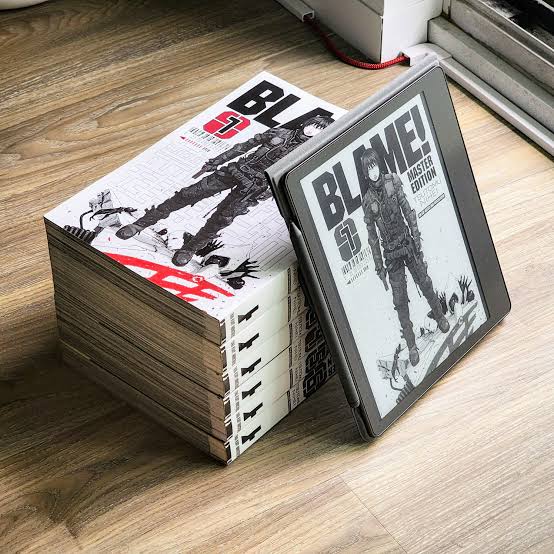
  • An e-reader propped against a stack of printed manga volumes, showing a manga cover prepared with MangaBookWizard.
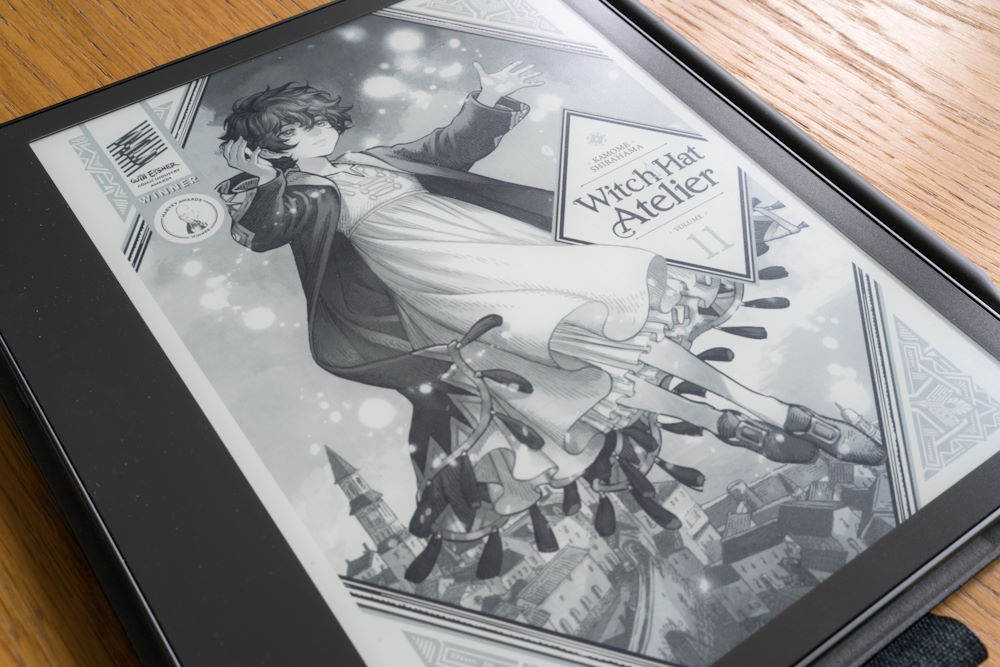
  • A manga volume cover displayed in fine grey tones on a large e-ink reader.
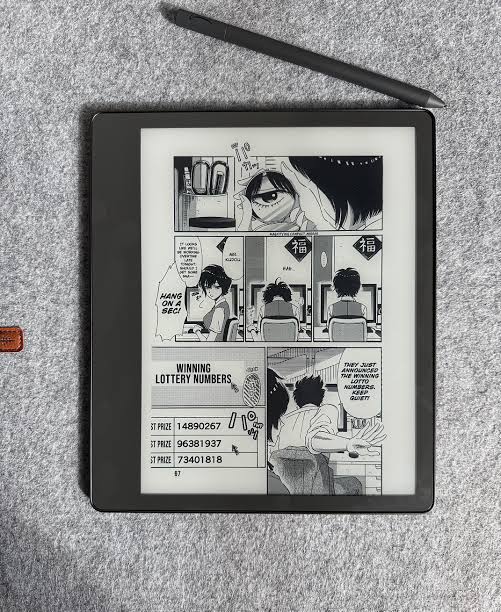
  • A manga page with dense panels and readable dialogue on an e-ink reader with a stylus beside it.
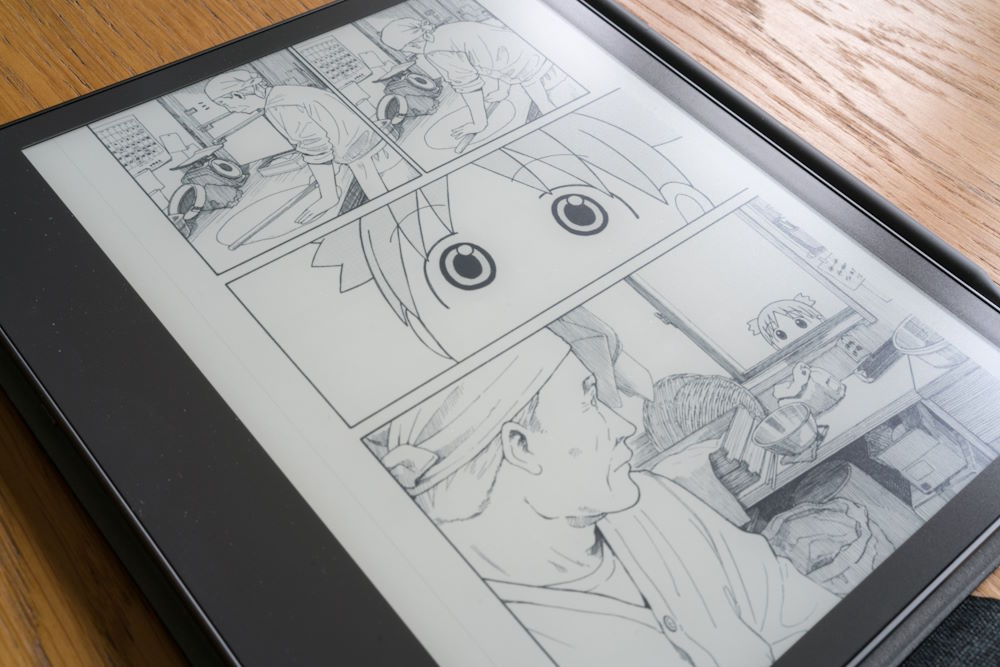
  • Close-up of manga panels on an e-ink screen showing crisp line art without banding.
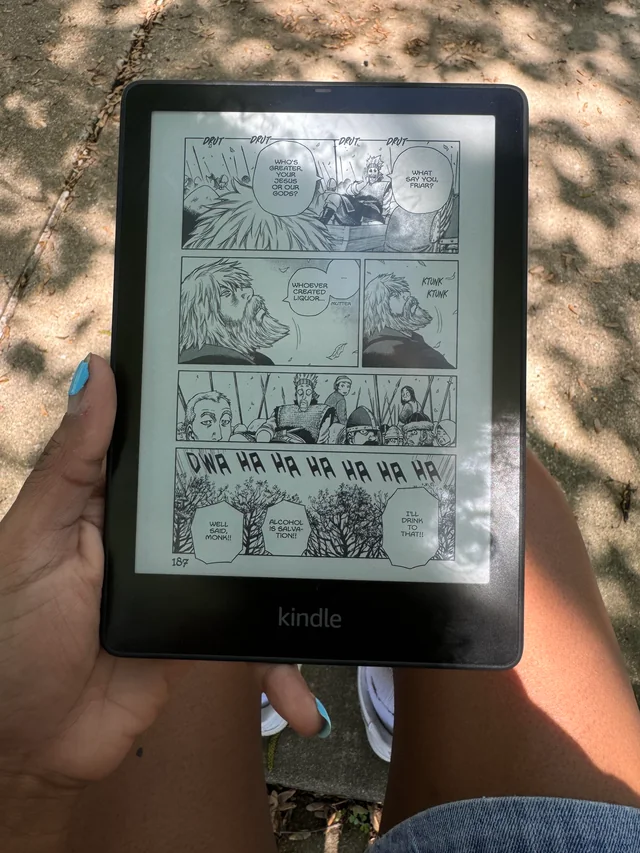
  • A reader held in one hand outdoors, showing a full manga page with speech bubbles and sound effects.
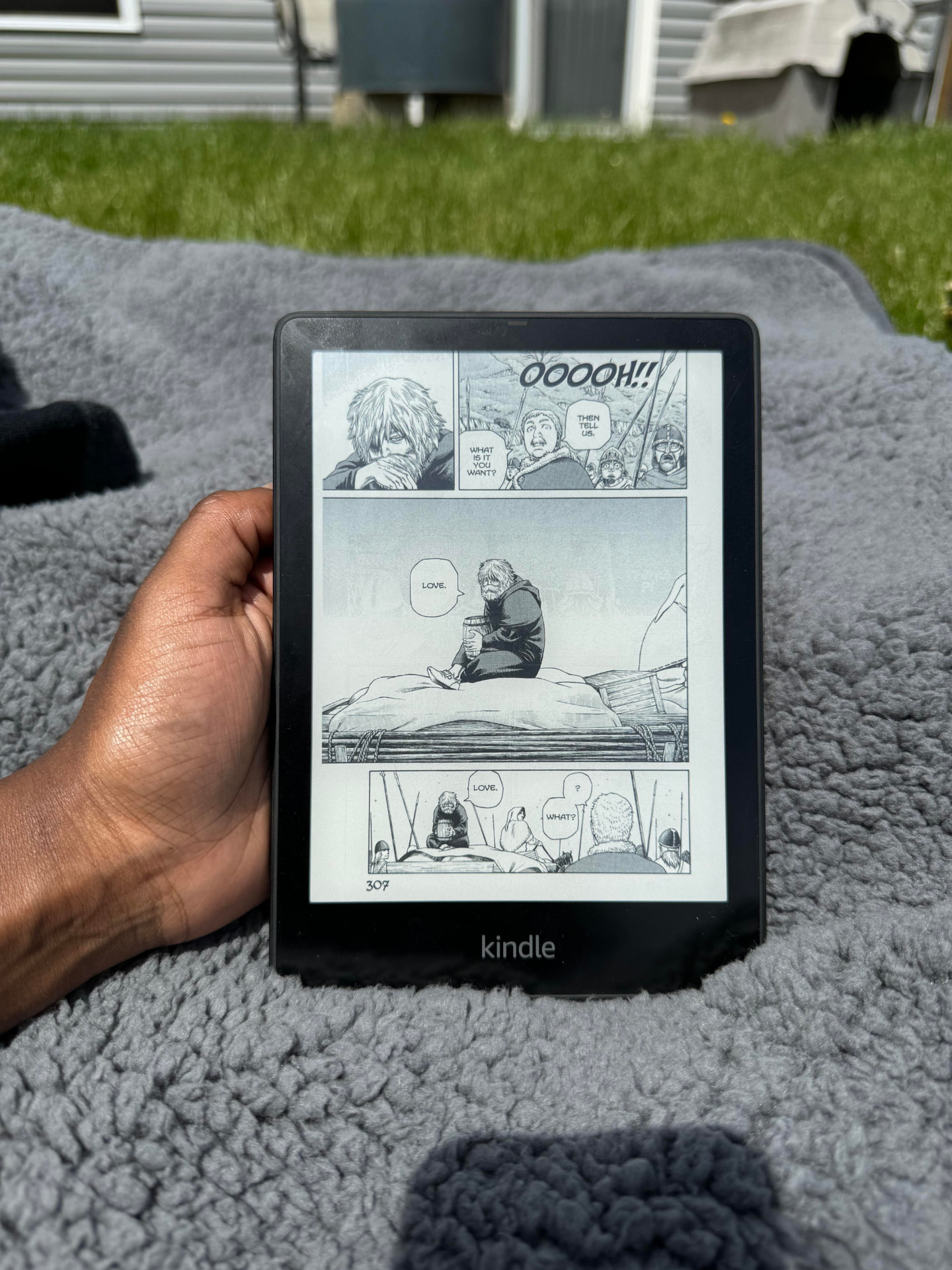
  • A Kindle resting on a blanket outdoors, showing a full manga page filling the screen.

Image 1 of 6

The community

Become a Manga Wizard for free!!

My dream is to build a real manga reader community. I love manga, and I wanted a place where we can bring each other together in this lonely world — trade recommendations, talk chapters, show off shelves, and help each other get manga looking perfect on e-ink.

Please join. It would mean more to me than downloading the app.

Become a Manga Wizard — join the Discord

Free forever · No account needed to browse the site · Everyone welcome

Free manga converter for popular e-readers

100% free — donations are welcome Buy me a coffee

Turn your manga into an e-reader-ready book.

Drop in your manga or book, choose Kindle, Kobo, reMarkable, or a custom reader, and let MangaBookWizard check and prepare every page.

Your reader not listed? Choose Other and enter its screen size.

Free and open source · No account needed · Your books stay on your computer

  • Kindle

    Paperwhite, Scribe, Oasis, Colorsoft, and older models

  • Kobo

    Clara, Libra, Sage, Elipsa, Colour, and older models

  • reMarkable

    reMarkable 1, 2, Paper Pro, and Paper Pro Move

  • Other reader

    Custom width and height for devices not listed

Reader names describe compatibility only and do not imply any affiliation.

Desktop app preview

Drop your manga or book here

Folder · CBZ · ZIP · PDF · EPUB

Your reader

  • Kindle Paperwhite
  • Kobo Libra
  • reMarkable 2
  • Other / custom size

Finished file

  • Kindle manga
  • Send to Kindle
  • EPUB
  • CBZ
  • PDF

Make my book

Blank-page safety check included

Illustration of the desktop app layout. Nothing is uploaded or converted in your browser.

Why MangaBookWizard?

MangaBookWizard is built on the powerful open-source work of Kindle Comic Converter (KCC). KCC already does the heavy lifting for converting manga and comics to e-readers — but it was designed for people comfortable with technical options, command-line flags, and manual setup.

The original: KCC

KCC is the engine that proved manga can look amazing on e-ink. It was started by Ciro Mattia Gonano and later carried forward by talented maintainers like Paweł Jastrzębski and Alex Xu. It is open-source under the ISC license, and MangaBookWizard owes a huge debt to that foundation.

Visit KCC on GitHub

What MangaBookWizard adds

  • A simpler, more guided interface — fewer confusing options and clearer defaults.
  • One-click profiles for Kindle, Kobo, and reMarkable families instead of manual resolution math.
  • Built-in image enhancement tuned for e-ink, with optional manual adjustments for advanced users.
  • A workflow that feels like a desktop app, not a power-user tool. Drop files, pick a device, make the book.

Pay respects to the original creator

KCC’s community tutorials and guides keep the whole ecosystem alive. If you have a moment, subscribe to Eink Dude on YouTube — the channel behind the KCC tutorials that helped many readers get started.

Subscribe to Eink Dude

MangaBookWizard is not a replacement for KCC — it is a friendlier front door. If you outgrow the wizard, KCC is still there for deep customization.

Made for the reader you already own.

Pick a ready-made profile for Kindle, Kobo, or reMarkable. Using something else? Choose Other and enter your reader's screen dimensions.

  • Kindle

    Prepare manga for Paperwhite, Scribe, Oasis, Colorsoft, and many older Kindle models. Choose Kindle manga for USB reading or Send to Kindle for a modern EPUB workflow.

    View supported models
    • Kindle Paperwhite
    • Kindle Paperwhite Signature Edition
    • Kindle Scribe
    • Kindle Oasis
    • Kindle Colorsoft
    • Kindle (basic, older generations)
    • Kindle Voyage
    • Kindle DX
  • Kobo

    Create reader-sized books for Clara, Libra, Sage, Elipsa, Colour models, and older Kobo devices.

    View supported models
    • Kobo Clara / Clara HD / Clara 2E / Clara Colour
    • Kobo Libra / Libra 2 / Libra Colour
    • Kobo Sage
    • Kobo Elipsa / Elipsa 2E
    • Kobo Nia
    • Kobo Aura / Aura H2O / Aura One
    • Kobo Forma
    • Kobo Glo / Glo HD
  • reMarkable

    Prepare manga and illustrated pages for reMarkable 1, reMarkable 2, Paper Pro, and Paper Pro Move.

    View supported models
    • reMarkable 1
    • reMarkable 2
    • reMarkable Paper Pro
    • reMarkable Paper Pro Move
  • Other reader

    Don't see your device? Choose Other, enter the screen width and height, and make a custom profile for almost any e-reader.

    View supported models
    • Any e-reader — enter screen width in pixels
    • Any e-reader — enter screen height in pixels
    • Saved as a reusable custom profile

Three easy steps. No conversion jargon.

  1. 1

    Drop in your book

    Add an EPUB, PDF, CBZ, ZIP, image folder, or manga page collection.

  2. 2

    Pick your reader

    Choose Kindle, Kobo, reMarkable, or Other for a custom screen size.

  3. 3

    Make your book

    The Wizard checks the pages and creates the format you chose.

The careful work happens automatically.

Why use this

Advanced Image Enhancement

E-ink screens require specialized image adjustments to display artwork clearly. The Advanced Image Enhancement engine automatically fine-tunes contrast, sharpness, and brightness to make text and illustrations stand out without overexposure. This results in cleaner visuals and a more immersive reading experience.

Key benefits

  • Improves clarity of text and dialogue bubbles
  • Sharpens line art and detailed illustrations
  • Optimizes brightness for e-ink screens
  • Balances contrast for improved readability
  • Allows optional manual image adjustments
  • Blank-page protection

    Checks for missing, broken, corrupt, nearly blank, nearly black, one-pixel, and oversized page images before conversion.

  • Manga spreads handled correctly

    Wide two-page spreads stay together and rotate by default for every reader profile.

  • Original page edges preserved

    Empty-page border trimming starts turned off by default.

  • EPUB to MOBI

    Converts ordinary EPUB books for older Kindle workflows while preserving text, chapters, navigation, styling, and resources. MOBI creation may require the free tools included with Amazon Kindle Previewer.

  • Drag and drop

    Add manga, books, archives, PDFs, and folders without navigating a complicated technical interface.

  • Useful formats

    Supports EPUB, MOBI, CBZ, PDF, ZIP, and page-folder workflows.

  • Local and private

    Conversion happens in the desktop app on your own computer. This website never receives your book.

  • Plain-language controls

    Common choices stay visible while less-common settings sit under More choices.

Download MangaBookWizard free

No account, no trial, no upgrade screen. Only real published files are linked here.

Before you start — install these too

MangaBookWizard works best alongside a few free tools. Install them once and you are set.

  • KindleGen

    Needed to build MOBI files for older Kindles. KindleGen now ships inside Amazon's free Kindle Previewer — install that and MangaBookWizard can find it.

  • 7-Zip or WinRAR

    Required to unpack RAR, CBR and 7Z archives before converting. Plain CBZ and ZIP files work without it.

  • OpenMTP (Mac users)

    macOS cannot browse most e-ink devices over USB on its own. OpenMTP is a free app that lets your Mac connect to your Kindle, Kobo or reMarkable and copy books across.

macOS — Apple silicon (M-series)

For Macs with an Apple M1, M2, M3 or M4 chip.

MangaBookWizard.v01-macOS-ARM64.zip

Version:
3
Released:
August 5, 2026
Size:
205 MB
SHA-256:
eaeb1b85d9463b1ade625b1077af4afcdb45c01d55cee7665494431406c8604b

First time you open it on a Mac

This test build is ad-hoc signed but not Apple-notarized, so macOS asks before opening it. Right-click (or Control-click) the app, choose Open, then confirm once. It opens normally after that.

Unzip with The Unarchiver — not macOS Archive Utility

For some reason Apple's default unzip can break this app bundle. Use The Unarchiver to extract the zip, then launch the app.
macOS — Intel (x86_64)

For older Macs with an Intel processor.

MangaBookWizard.v01-macOS-Intel-x86_64.zip

Version:
3
Released:
August 5, 2026
Size:
88 MB
SHA-256:
7765b69b737bd9f86550c366514d20a9a5c887784d033b9d8589ed639da82da7

First time you open it on a Mac

This test build is ad-hoc signed but not Apple-notarized, so macOS asks before opening it. Right-click (or Control-click) the app, choose Open, then confirm once. It opens normally after that.

Unzip with The Unarchiver — not macOS Archive Utility

For some reason Apple's default unzip can break this app bundle. Use The Unarchiver to extract the zip, then launch the app.

Windows

For 64-bit Windows 10 and 11. Standalone executable — just run it.

MangaBookWizard.v01-Windows-x64.exe

Version:
3
Released:
August 5, 2026
Size:
87 MB
SHA-256:
6c95a738c0afdd96ac0ecb8757118af92a3faadc0a7a53bffcaec772aeacf04f

Prefer a ZIP?

MangaBookWizard.v01-Windows-x64.zip

Same build, zipped (86 MB) — handy if your browser or antivirus blocks .exe downloads. Extract it, then run the app inside.

SHA-256: 1a8c6932a0d221825f44d9350f2519f4a98594d989af2ad356afd58a1e320825

First time you open it on Windows

This build is not code-signed yet, so Windows SmartScreen may warn you. Click More info, then Run anyway. Verify the SHA-256 above if you want to be sure the file is untouched.

Source code and automated build files

MangaBookWizard-source.zip

Open source and free to inspect or build yourself. This is for developers — not an installer for Windows or macOS.

Two optional helpers

Amazon Kindle Previewer is a free Amazon tool whose included utilities help create MOBI files. 7-Zip is a free archive tool that adds support for RAR, CBR, and 7Z archives. CBZ and ZIP files work without it.

Enjoying MangaBookWizard?

The app is free and open source. If you want to help keep it alive, buy the wizard a coffee.

Questions, answered plainly.

  • Is MangaBookWizard free?

    Yes. It is completely free and open source. There is no account, no trial, and no paid upgrade.

  • Which e-readers does it support?

    Kindle, Kobo, and reMarkable families have ready-made profiles. Any other reader works too — choose Other and enter your screen width and height.

  • My reader is not in the list. What do I do?

    Choose Other, type your reader's screen width and height in pixels, and MangaBookWizard saves it as a reusable custom profile.

  • Does it work on Windows and macOS?

    macOS is available as an Apple silicon test build. A Windows installer is not published yet and will appear on this page as soon as a verified build exists.

  • Why does macOS warn me the first time I open it?

    The macOS build is signed on the developer's own computer but not Apple-notarized yet, so macOS asks for confirmation. Right-click the app, choose Open, and confirm once.

  • What files can I convert?

    EPUB, PDF, CBZ, ZIP, MOBI-bound EPUB workflows, and folders of manga page images.

  • What is blank-page protection?

    Before converting, the Wizard checks every page image for missing, broken, corrupt, nearly blank, nearly black, one-pixel, and oversized files so you do not discover empty pages on your reader.

  • Do you upload my books anywhere?

    No. All conversion happens inside the desktop app on your own computer. This website never receives your files.

  • Do I need extra tools?

    Only optionally. Amazon Kindle Previewer includes free utilities used for MOBI creation, and 7-Zip adds RAR, CBR, and 7Z archive support. CBZ, ZIP, PDF, and EPUB work without either.

  • What should I do with my Kindle before transferring books?

    Leave it in airplane mode. New Kindle firmware updates have been known to change how custom books behave, and staying offline keeps things stable. We do not know why either — just trust the Wizard on this one.

  • Are two-page spreads handled properly?

    Yes. Wide spreads stay together and rotate by default, so long panels stay readable instead of being cut in half.

  • Will it crop my pages?

    Not unless you ask. Empty-page border trimming starts turned off so original page edges are preserved.

  • Does MangaBookWizard provide manga?

    No. It prepares books you already own. It never downloads, hosts, or distributes manga or e-books.

  • Is it affiliated with Amazon, Kobo, or reMarkable?

    No. Reader and device names are used only to describe compatibility. There is no affiliation, sponsorship, or endorsement.

  • Where is the source code and how do I report a problem?

    The source archive is on this page's download section. Public repository and issue links appear here once they are published.

MangaBookWizard builds on the open-source Kindle Comic Converter project by Ciro Mattia Gonano and Paweł Jastrzębski, used under its ISC license.

Manga reviews

Manga reviews — written by a reader, not an algorithm

I’m starting a review series: what’s worth reading, where to buy it officially, and how each series actually looks on e-ink. These are placeholders for now — real reviews land here soon.

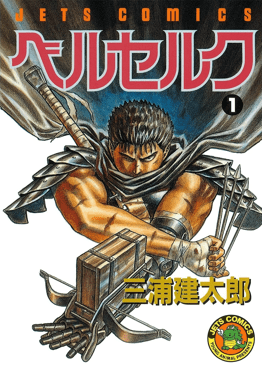
Cover of Berserk volume 1 by Kentaro Miura
First review · Seinen

Berserk: Trauma Put On Armor and Decided to Stand on Business

9.8/10 — Kentaro Miura’s masterpiece on ambition, friendship, grief, and stubborn human survival. Full spoiler-heavy breakdown, honest criticisms, and four theories.

Read the full Berserk review →
Read the manga reviews — first ones coming soon

Reviews drop in the Discord first — join to read them and suggest what I cover next.

Cover coming soon
Shonen

Review coming soon

Series title

A full write-up is on the way — story, art, pacing, and how well it reads on an e-ink screen.

Cover coming soon
Seinen

Review coming soon

Series title

Honest thoughts from someone who actually finished the volumes, plus the best conversion settings for it.

Cover coming soon
Manhwa

Review coming soon

Series title

Where to buy it officially, whether it's worth the shelf space, and how the panels hold up on a Kindle.

Cover coming soon
Classic

Review coming soon

Series title

A deep-dive on a series worth revisiting, with page-quality notes for reMarkable and Kobo readers.

Community

You’re not alone in this. There are readers out there just like you — trading recommendations, arguing over chapters, showing off shelves, and helping each other get manga looking perfect on e-ink. Here are the places they actually hang out.

These communities are independent and not affiliated with MangaBookWizard. Always buy manga from official publishers and licensed stores.

Built by one manga reader.

MangaBookWizard was made by Isaiah Lee, who wanted to read his own manga collection on an e-reader without wrestling with command lines, cryptic settings, or files that turned out blank halfway through a volume.

Every choice in the app is aimed at that goal: plain words instead of jargon, safe defaults instead of guesswork, and checks that catch problems before you send a book to your reader.

Buy me a coffee

MangaBookWizard is free and open source. If it saved you time or helped your collection, a coffee keeps the wizard awake.

buymeacoffee.com/mangabookwizard

Where readers talk manga

Communities worth browsing for recommendations, device advice, and collection talk.

Always buy manga from official publishers and licensed stores. MangaBookWizard only prepares books you already own.